About

I'm just messing around with web design and making pages about various hobbies and things as an excuse to do that. I always have way too many projects and ideas going on at once. This needs "under construction" GIFs all over the place, lol. Like uh this I got here

Best viewed on ANY browser newer than 2020 or so. Also works on phones (probably, usually). Although I'm using modern CSS, I'm trying to limit the total size of everything to like ten or twenty megabytes for the authentic 2005 experience. That's part of why I made the "tiny" art that's only 512 pixels but yeah I felt too constrained lol.

I know the Lighthouse score isn't perfect but I got 100% accessability score so that's nice.

I added some javascript to save the palette but for some reason I'm having trouble with the rest, I'm not that good at JS oops

TO DO 2026

Being organized is hard but I'm slowly getting things in order? In any case sorting according to "concrete" and "complexity" helps.

General updates to existing stuff

  • for Xbox add more era stuff? def needs gamefaq links, hints, etc just having like one paragraph saying something is cool is kind of boring lol
  • add more links to comics, all that stufff
  • thumbs for Characters page / alt versions / more info??
  • maybe some fancy stuff for lists instead of generic black dot

New Pages def working on

  • More stupider lists for media with themes like "WTF WHY" and "aside from that one weird thing it's great"
  • Linux gaming page

A random list

  • I got started with web design back in like 2004 when I first got on DeviantArt lol
  • so yes i experienced forums, MySpace, Geocities, Windows XP, installing a popup blocker in Internet Explorer, Firefox 1.0,
  • Dragalia Lost was my fave phone game like I don't even bother looking at any other gacha games
  • history esp Native America, although it's hard to find good unbiases books on that so I might make a list
  • and archaeology like I watch that Time Team show on YouTube lol
  • geology and cool rocks
  • languages like this
  • reading, like actual books about things I like, and going to book sales and used book stores with like a twenty dollar budget
  • fonts
  • architecture was always a minor side hobby like once ina while you want to build a cool house like Minecraft and Terrarria and stuff
  • I just think astrology is convenient tropes for character notes like I'm an Aries from the Year of the Monkey
  • I'm reading some manga
Tux

Computer junk

HTML, Linux, I've been doing all sorts of nerdy crap for decades, so I made some pages of notes on things, not really blog or FAQ level, just random whatever. Especially bug reports when things get borked.

Code!

N00b Linux notes

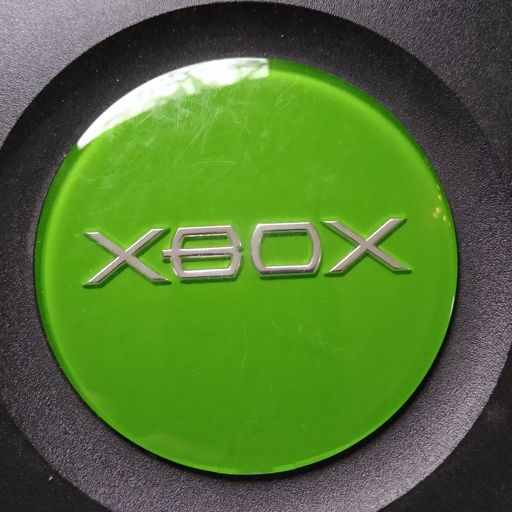
Xbox

Games!

Games of course. Xbox and PC, which is now Linux for me lol. Sure it's trading one set of problems for another, but I haven't rage quit yet.

I did a whole page for Xbox games I played the most. Just because it seemed like fun.

And then the sequel Xbox 360.

rust monster from dungeons and dragons

Art stuff

Tiny Gallery of things just as a sample, I put links to other places too. The goal here was 512 pixels max.

Medium Gallery and some bigger stuff because I wanted to.

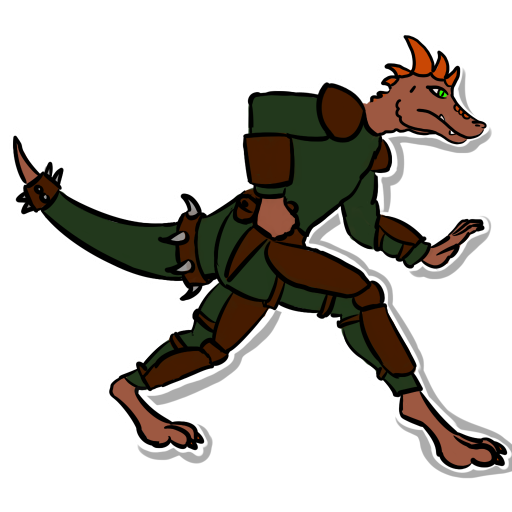
Characters just to keep going weirder. Along with this which seemed like a good fun design practice.

BUT why just post my own crap? I remembered OEKAKI boards were a thing back in the day but the old ones use JAVA or something which won't work anymore. I found a tutorial here so I was trying to get a basic MS Paint going lol.

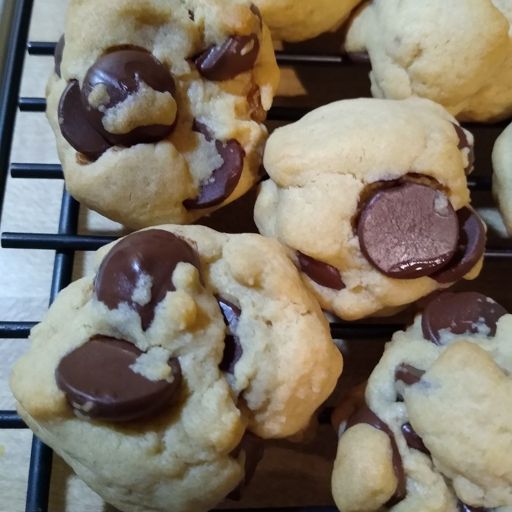
chocolate chip cookies

Food

Gotta have snacks and making them is also a hobby.

Everyone on the internet complains about recipes sites with hidden recipes, but that works better for a CMS. I can throw one in though.

Chocolate chip cookies

This is a basic recipe, just cut in half for bachelors.

  • 1 1/3 cup of flour, about 10 ounces
  • 1/2 teaspoon baking soda
  • 1/4 teaspoon salt

Whisk all these together in one bowl. If you are prone to spilling salt, pour it into the spoon over the measuring cup you used for the flour, instead of the bowl!

  • 3/4 cup brown sugar, about 4 ounces
  • 1/2 cup of butter, or one stick (or can use Crisco)
  • 1 teaspoon vanilla extract
  • 1 egg

I normally soften the butter in the microwave to help blend it in. (Also, a spare bowl or measuring cup to drop the egg into to inspect for shell pieces is handy.) Once all the wet is mixed well, start adding in the dry, until it gets consistent, and add in a cup of chocolate chips.

Variation: add 3 tablespoons of cocoa powder to the dry, and a teaspoon of water to the wet, and substitute white chocolate chips.

This is enough to fill two baking sheets that are about ten by fifteen inches, which is what fills one rack of my oven. I tend to make them smallish so they are more bite sized but giant is good too. Bake 8-9 minutes at 350F (at least in my oven, vary as needed) and let cool a minute before sliding onto cooling rack (and eating all the bits that fall off)

pronk

Legal stuff!?

I've used a couple of fonts in ways I hope are legal lol. Calligraffiti is used for the page titles. And the Xbox page I tried to match the original Xbox font, this is what I used.

Sawn in half

I wasn't sure where to put this but it's just a fun little test, see the same image is on both sides, I just used the clip property to make it look sawn in half! Why? Well it seemed like a good idea at the time. The only problem is finding random filler text. But after messing around some more oh boy. So you're probably thinking yeah that's neat BUT what if the text was aligned with the edges of the images? And you'd be right, that would be super cool. BUT. FKN CSS. You have to use FLOAT to do that and so it'll align with the LEFT edge just fine BUT BUT the right image falls down. Oh and also anything content below will have the images floating on top of them.

Border image test

So yeah I'm looking at this wall of text but I need examples then explanation. I bounced off that gibberish a couple of times already! It's not as simple as the bathroom tile I was imagining. I mean back in 2005 we had to learn about slices but I abandoned that ancient stuff ages ago lol. But it's like messing around with spritesheets in Godot and such. Once I found the core components the basics are fairly simple. You can even resize like any image by setting border-image-width. However I can see it really depends on the image used. Also it turns out you can use this generator to help.